1. Make a folder (directory) on your desktop or in your Sites folder. Name it whatever you wish to call your website. THE FOLDER IS THE WEBSITE!
2. Open TextEdit (mac) or Notebook (pc).
3. Write the following text:
<html>
<head>
<title>A Simple Page</title>
</head>
<body>
This is my simple web page
</body>
</html>
3. Change format of file to text (.txt) and save in your website folder as index.txt.
4. Make index.txt into an executable by changing its suffix to .html, thus: index.html.
You may place other .html, .gif or .jpg files that you wish to have on your website in this directory. Eventually ALL files on your website will be in this directory.
If you are interested, serious HTML learning occurs here: http://www.w3schools.com/html/default.asp
1. Open Dreamweaver from the "Applications" folder (and get used to using the term "directory" instead of "folder") Select "Designer" workspace. Do not click on "Live View" or "Live Code".
2. You can see your page in "Code" (which shows text) or "Design" (what you see is what you get, WYSWYG) or both, "Split".
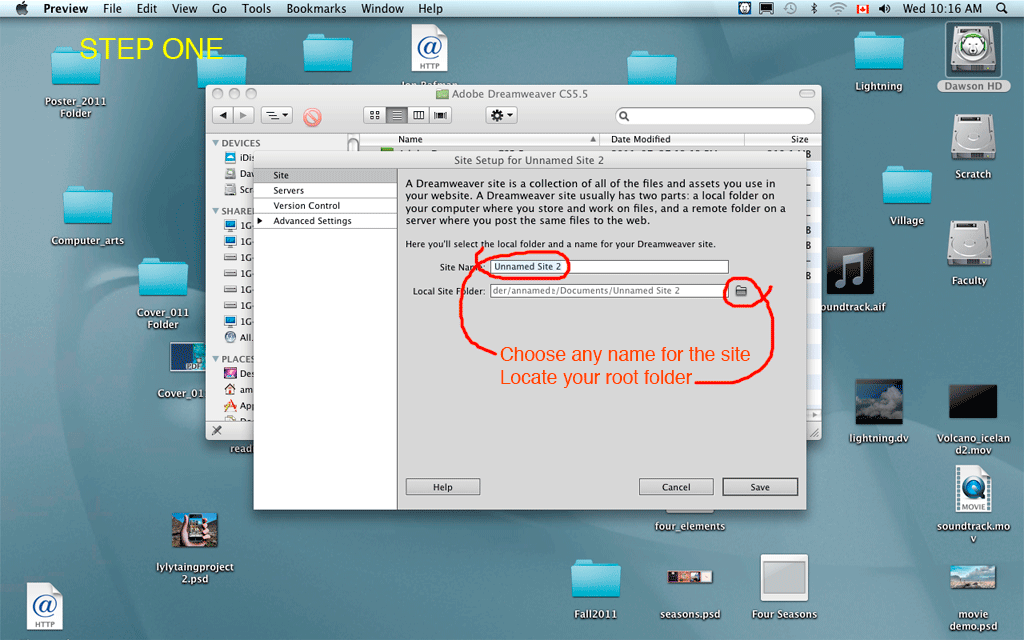
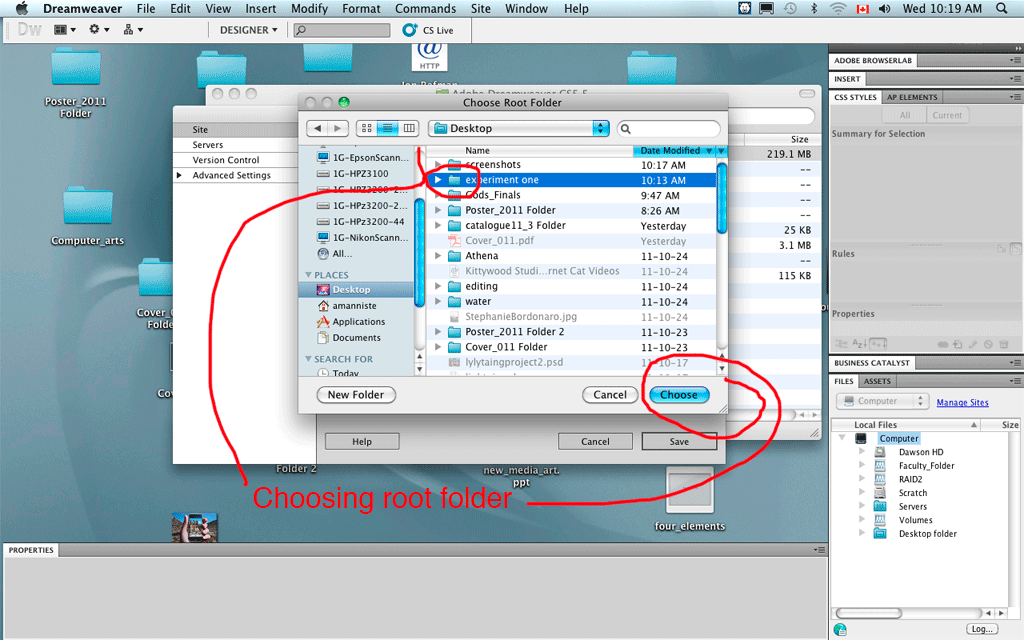
3. Click on "Site--New Site". Select your website folder (web root). It can be anywhere, for example: /Home/Desktop but usually it is in your /Home/Sites directory
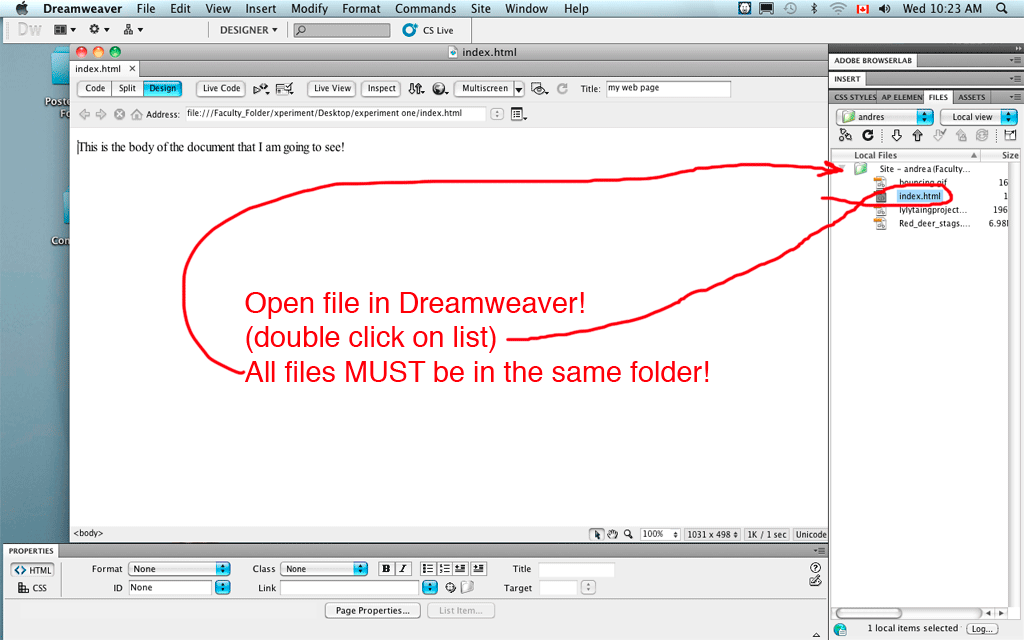
As you see, I have added other files into the experiment one website.
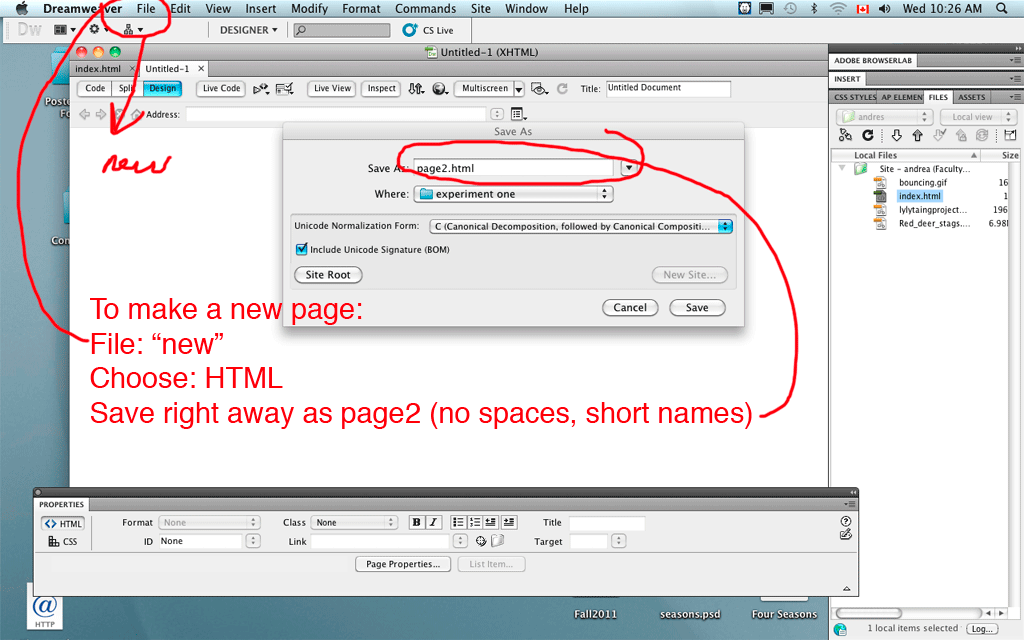
Now you can make new webpages from within Dreamweaver. Save them all to the same directory.