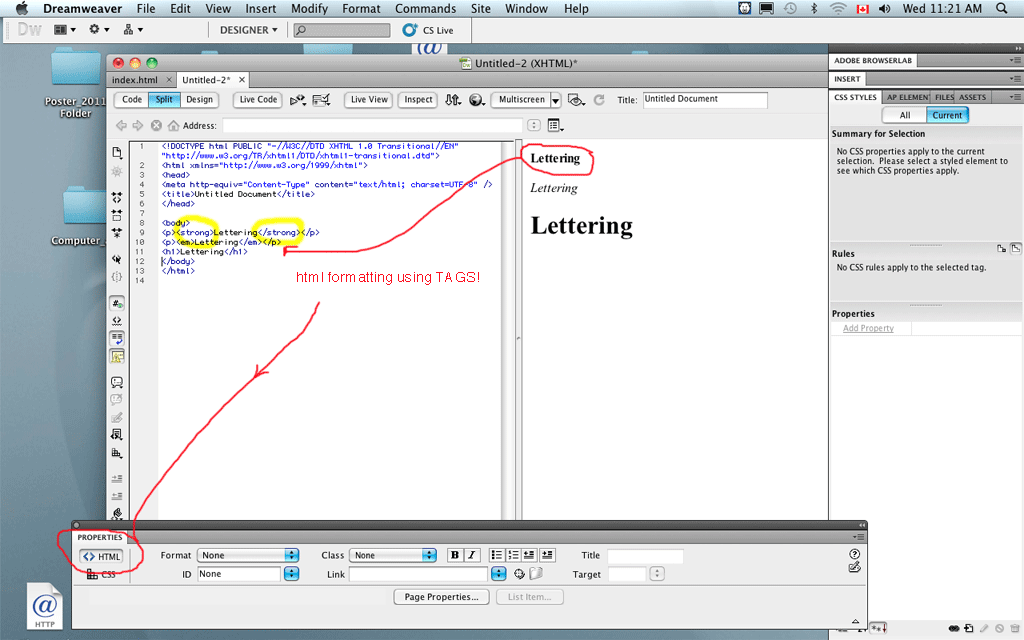
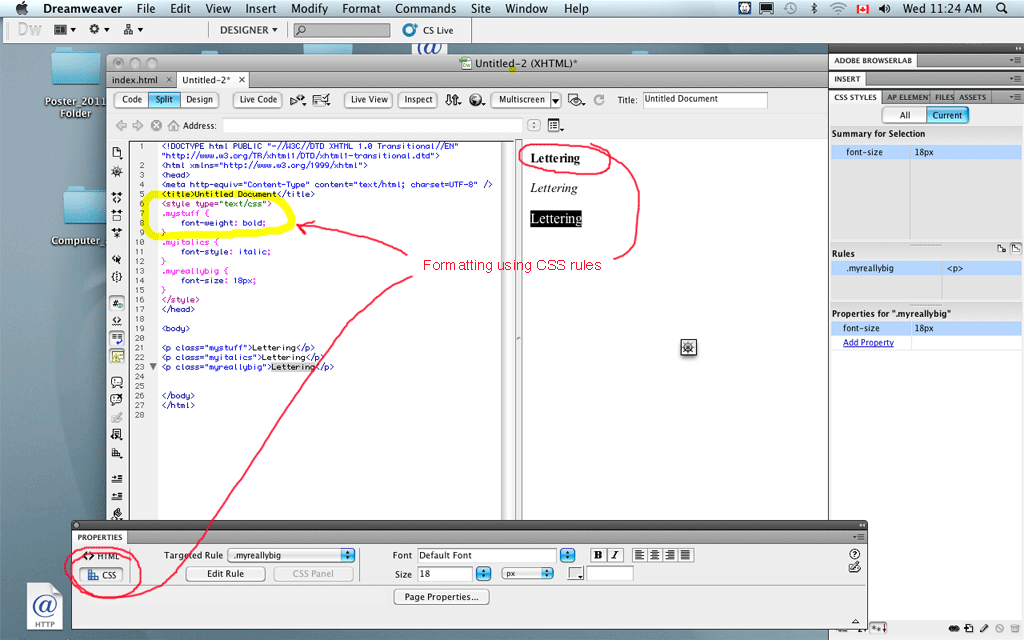
A webpage can be formatted with html or CSS (cascading style sheets). It is better to get used to CSS because it is pretty common these days.
In Dreamweaver you may choose either method, but the program will default to CSS.
A serious tutorial can be found here: http://www.w3.org/Style/Examples/011/firstcss.en.html
In Dreamweaver you select either css or html with the properties button on the bottom. When you choose html, the page is coded like this, using TAGS:
Tags selected are <strong></strong>, <em></em> and <h1></h1>. (Most standard HTML 4.01 tags work with most browsers).
If you select CSS with the properties tab, the program will ask you to name the style. You may use any name except standard html names.
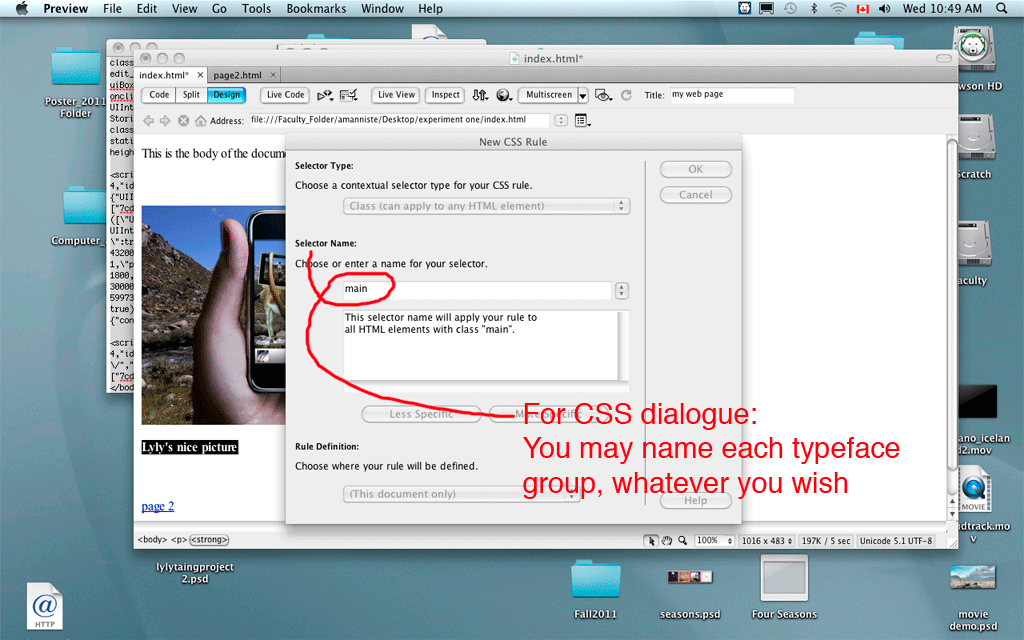
The program will write CSS code for you. You may choose to save the CSS code either in your document (easy) or on a separate stylesheet that you save in the SAME directory as the rest of the webpage.
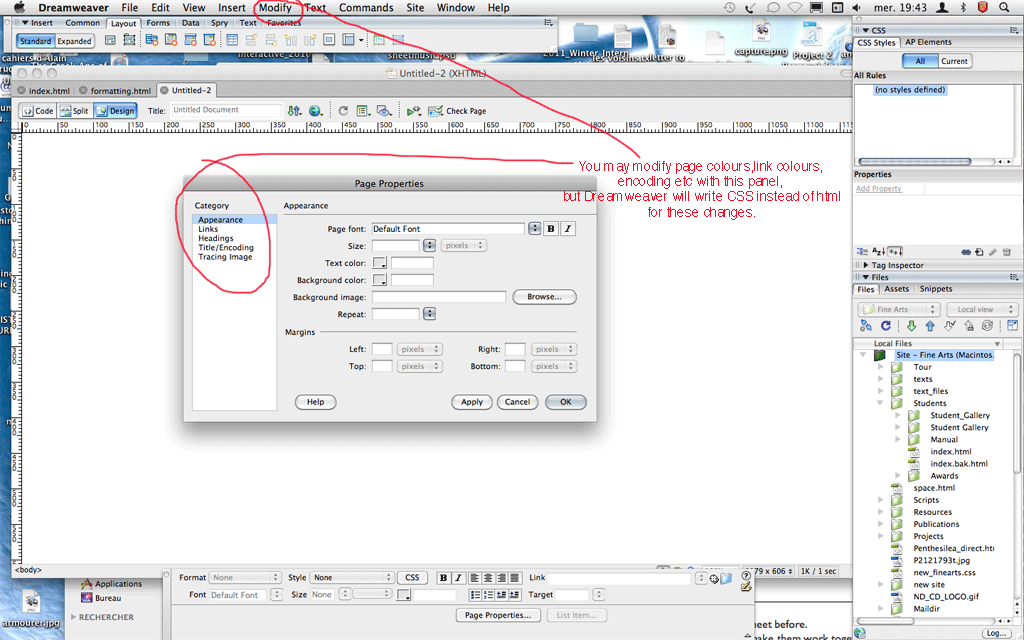
You may modify page properties with CSS or the "Modify -- Page Properties" menu (which seems old style, but will write CSS to match your formatting)
So that is all for now. Explore a little bit!